Manufacturing back-office automation studio

ERP records. iGEM operates.

OrderFlow organizes item-code checks, stock checks, delivery dates, and ERP entry. Your team reviews exceptions.

See iGEM OrderFlow

iGEM OrderFlow · Work outside ERP · Item-code matching · Delivery-date drafts
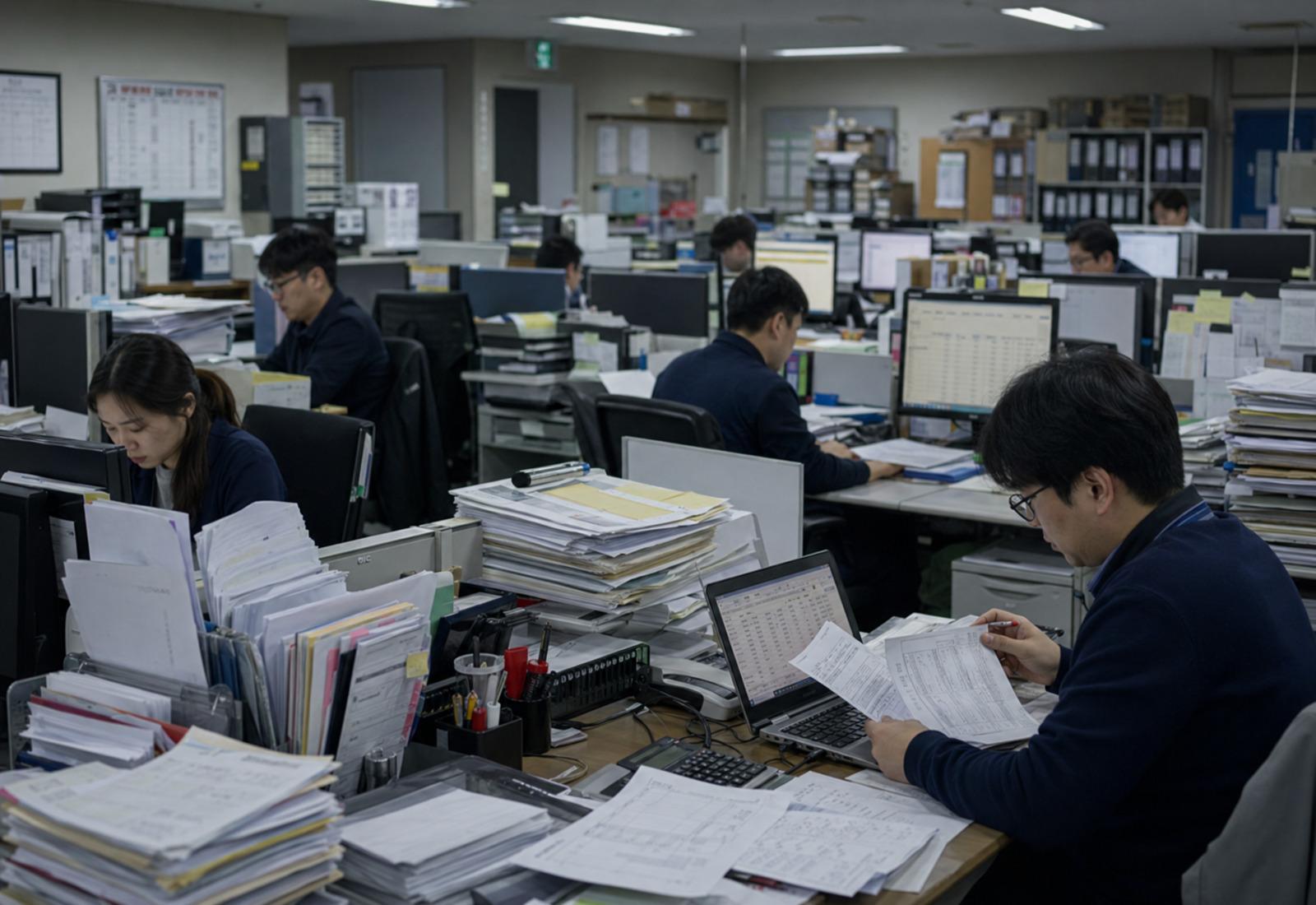
Cluttered office desk with stacks of paper
CURRENT · BEFORE

Orders still get checked by hand

Order forms, item-code lists, ERP stock, and production plans sit in separate places. Staff connect them manually.

  • Customer item codes matched by experience
  • Available stock and production dates checked across files
  • Delivery replies written after cross-team confirmation
12/day

Order decisions re-checked by one operator

Tidy modern office
WITH iGEM · AFTER

Only exceptions need review

OrderFlow drafts item-code matching, stock checks, purchasing needs, delivery dates, and ERP-ready data.

  • Order intake, item matching, and stock checks connected
  • Delivery reply and ERP-entry drafts generated
  • Unmatched items and delivery conflicts routed for approval
2/day

Exceptions remaining for operator approval

Where the experience comes from ·
Major Korean enterprise automationManufacturer RPackaging maker JTravel operator WEnterprise voucher processing
PROVEN RESULTS

Field-tested back-office automation experience

30+

Automation deployments

10,000h

Repetitive work saved per year

270%

Revenue uplift case after automation

Enterprise + partners

Automation results proven in the field

Direct answer

What does iGEM STUDIO do for manufacturers?

OrderFlow turns incoming orders into item-code matching, stock checks, delivery dates, and ERP-ready data.

Do we replace ERP?

No. Keep your ERP. We organize the order, item-code, stock, and delivery checks that happen before ERP entry.

What does OrderFlow handle?

OrderFlow handles intake, item-code matching, stock checks, delivery drafts, ERP-ready data, and replies.

Do we need to know AI?

No. iGEM starts with your order forms, item-code lists, ERP exports, and stock files. We use your current workflow.

The real problem

People are still assembling data by hand.

The same order data gets copied across customer forms, spreadsheets, ERP, and team reports.

APROBLEM 01

Customer formats are all different

Each customer sends POs, invoices, and delivery requests in a different template. Staff clean them up manually.

12 templates rewritten weekly
BPROBLEM 02

Humans gate the ERP

Information from emails, spreadsheets, and PDFs gets re-typed into the internal standard before it reaches ERP.

3 staff · 2 hours/day each
CPROBLEM 03

Departments work from different sheets

Purchasing, production planning, and shipping each look at the same order through different baselines.

Half of weekly meetings = reconciliation
DPROBLEM 04

Delivery changes tracked manually

When supplier replies, material arrivals, production schedules, or shipping windows shift, someone re-verifies it.

Delays surface only after the fact
EPROBLEM 05

Invoice and statement reconciliation

Quantity, unit price, item name, ship date. Staff compare each line by hand.

4 month-end days lost to checks
FPROBLEM 06

Reports rebuilt every time

Even with ERP exports, monthly reports, customer summaries, and delivery lists get rebuilt in Excel.

Month-end overtime = report assembly
!
If 4 of the 6 above apply to you, automation moves quickly.We reply within 7 business days of your request
Automation philosophy

Re-divide the work between people and machines.

Machines handle copy, entry, checks, and routine sending. People handle exceptions and priorities.

What machines do better

  • Copying the same data
  • Re-typing into spreadsheets
  • Customer format conversion
  • Quantity and price reconciliation
  • Highlighting delivery changes

What people should do

  • Judging exceptions
  • Negotiating with partners
  • Assessing supply risk
  • Setting production priorities
  • Managing customer relationships

Automation is not about cutting headcount. It is about taking the machine's work off the people.

How we work

We do not start by building software.

We trace where order data gets re-entered or diverges. Then we automate the loop and leave only the exceptions.

  1. 01

    Map the inbound data

    Customer POs, email, PDFs, spreadsheets, ERP exports.

  2. 02

    Define the internal baseline

    Item code, quantity, price, delivery date, partner, and ship date.

  3. 03

    Separate the repeats

    Identify everything copy, re-type, reconcile, send, and rebuild.

  4. 04

    Set the exception rules

    Quantity mismatch, price gap, delivery change, or item-name issue.

  5. 05

    Build the automation

    Document generation, email, dashboards, reports, ERP entry assistance.

People stop checking everything. Only the items with a problem reach a human.

Automation areas

Where automation pays off first.

Start with POs, deliveries, production plans, shipping, or invoicing. Pick the work people repeat every day.

Purchasing automation
Purchasing

Purchasing automation

Reduce the recurring PO, delivery, and unit-price work.
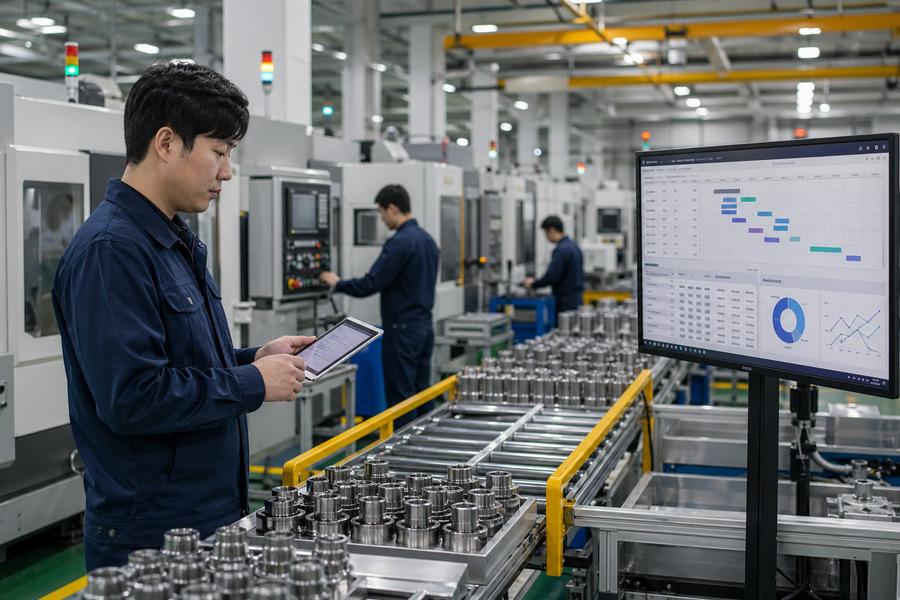
  • Auto-generated POs
  • Supplier email auto-send
  • Delivery confirmation rollup
See purchasing automation
Production planning automation
Production planning

Production planning automation

Bring orders, materials, plans, and delivery status onto one baseline.

  • Production-plan Excel cleanup
  • Per-order feasibility check
  • Material requirement rollup
See production-planning automation
Shipping & logistics automation
Shipping & logistics

Shipping & logistics automation

Cut shipping requests, packing lists, and delivery scheduling work.

  • Shipping request generation
  • PL / Packing-list cleanup
  • Per-customer shipping status
See shipping automation
Accounting & admin automation
Accounting & admin

Accounting & admin automation

Organize invoices, statements, and billing automatically.

  • Invoice data extraction
  • Statement cleanup
  • Quantity / price mismatch flagging
See accounting automation
Example video

See how production-planning report automation works.

See ERP exports become an Excel report and an automated email.

45-second example · legacy ERP-style · Excel report · automated email delivery

Before / After

Automation does not just speed work up. It erases work.

Good automation does not just make work faster. It removes the re-typing and reconciliation steps.

BeforeAfter
Staff review every customer PORequired fields extracted automatically
Re-typed into internal ExcelAuto-converted into internal baseline
Purchasing and production sheets differSingle source of truth shared across teams
Delivery changes tracked manuallyChanges and delays surfaced automatically
Invoices reconciled one by oneQuantity/price mismatches flagged automatically
Reports rebuilt each monthGenerated automatically in a fixed format
Staff check every recordOnly exceptions reach a human

Machines handle the repetition. People focus on review and judgment.

Service packages

Start small. Go deeper as the gains land.

We do not change everything at once. We start with high-frequency work where gains land quickly.

PACKAGE 01Recommended

Back-office diagnosis

Find the machine work people are still doing.

Best for

  • Teams that know they need automation but not where to start
  • Companies running ERP plus a lot of Excel

What's included

  • Interviews with operators
  • Review of Excel, documents, ERP exports
  • List of repetitive tasks
  • Mapping where data gets re-entered
PACKAGE 02

Single-workflow automation

Start with the single most repetitive task.

Best for

  • Companies generating POs over and over
  • Heavy invoice reconciliation

What's included

  • Workflow mapping
  • Automation scenario design
  • Build of the automation or workflow
  • Testing
PACKAGE 03

Department-wide automation

Bundle a single department's repetitive work.

Best for

  • Departments using Excel + email + ERP together
  • Operators with different process styles

What's included

  • Workflow analysis
  • Data baseline design
  • Repetitive-work automation
  • Exception rule design
PACKAGE 04

Full back-office buildout

From order to production, shipping, and billing.

Best for

  • Manufacturers running on Excel without ERP
  • Companies with ERP but the real work in email + Excel

What's included

  • End-to-end flow mapping
  • Standard data fields
  • Per-department dashboards or reports
  • Auto-document generation

Pricing is scoped after the diagnosis. We recommend starting with a back-office diagnosis.

How we run the project

See the floor first. Build what people will actually use.

We design around the spreadsheets, email, documents, and ERP exports operators actually use.

Step 01

Map the current flow

Where information enters, who handles it, and how it is processed today.

Step 02

Separate repeats from exceptions

What automation should handle vs. what humans must judge.

Step 03

Prioritize

Start with high-impact, high-feasibility work.

Step 04

Build

Implement with whatever fits: Excel automation, scripts, RPA, APIs, AI.

Step 05

Test and refine

Validate with real operational data and smooth out the operator UX.

Step 06

Hand off to operations

Document usage, exception rules, and ongoing management so the team can run it daily.

Automation is not finished when it ships. It is finished when the operator uses it every day.

Field cases

Where back-office automation is already running.

We do not disclose customer internals. Cases are presented by industry and problem type only.

Manufacturing

Manufacturer back-office automation

Situation

Each customer used a different document format, so PO, delivery, and document cleanup kept repeating.

Result

Reduced recurring cleanup and left operators with the checks that matter.

Travel operator

Travel operations automation

Situation

Inquiries, bookings, and product information were spread across channels, creating repeated manual checks.

Result

Reduced repetitive support work so operators could focus on product and customer management.

Enterprise procurement experience

Enterprise and partner-company automation experience

Situation

ERP, POs, invoices, and production-plan data were re-checked across departments and systems.

Result

We reduce the PO, delivery, production-plan, and invoice work that keeps teams re-checking the same data.

Why iGEM

Automation built by people who know the manufacturing floor.

Good automation starts with the real workflow. We find where order data keeps getting rechecked.

01

We know manufacturing operations

We have worked on procurement and operations automation with Korean enterprises and partner companies.

02

We optimize for daily use, not demos

If operators cannot use it daily, it is not good automation. We build for real data and real exceptions.

03

We design for expansion

We start small, but we design so the work can scale into department-level and company-wide back-office automation.

Team

Strategy, operations, finance, and communication on one team

Built on team judgment, not one founder's taste.

Theo

Theo

CEO

iGEM STUDIO Founder / RPA Lead at Hyundai Mobis Procurement

  • Leads business structure, automation strategy, and web/system execution
  • Built 30+ workflow pipelines with roughly 10,000 hours saved annually
Helen

Helen

COO

Head of Operations / Mental Performance Lead

  • Designs internal execution and operating structure
  • Keeps projects grounded in real ongoing operations
Yujeong Kang

Yujeong Kang

CMO

Yonsei University / Hankuk University of Foreign Studies / former Bain & Company interpretation team lead

  • Shapes global business communication strategy
  • Clarifies brand narrative and messaging structure
Lucas

Lucas

CFO

Seoul National University / Tax Partner at Samil PwC

  • Reviews structure from finance and tax perspectives
  • Advises on stable monetization and incorporation logic
MIN KWON

MIN KWON

Researcher

Cornell University / Cognitive architecture & decision science researcher

  • Researches cognitive architecture and decision-making systems
  • Frames complex workflows around how people judge and decide
FAQ

Common questions

Do we need to replace our ERP?
No. You can start without changing the ERP. We work on top of the spreadsheets, email, documents, and ERP exports you already use, focusing on the repetitive work.
What if we have no ERP?
Still works, often faster in fact. Companies running on Excel often see automation gains the quickest. We start by mapping the spreadsheets and the flow, then automate where it pays off first.
Where should we start?
High-frequency work where people keep copying, re-typing, or re-checking. Typical wins: PO generation, delivery confirmation, invoice reconciliation, ERP report cleanup, production-plan spreadsheet maintenance.
Customer formats are all different. Can this still work?
Yes. We just need to map the formats and the exception cases first. Rather than perfectly automating every edge case up front, we lock in the recurring baseline and let humans review only the problem cases.
Can our team operate it after handoff?
Yes. We design for it. If the operator cannot run it, it is not good automation. We document usage and exception rules with the build.
Do you require AI?
Only when needed. Plenty of repetitive work is solved with Excel automation, scripts, RPA, and APIs. We add AI for document parsing, classification, summarization, or exception-judgment assistance.
Can you handle sensitive data?
We define data scope and access rights before the project starts. When required, we run diagnosis and builds with sample data, de-identified data, or restricted access.

Could your back-office be automated?

If spreadsheets, email, ERP, and documents are getting hard to manage, start with a diagnosis.

See cases

A sample spreadsheet, document template, or ERP export helps. You can redact sensitive information before sharing.